

Features
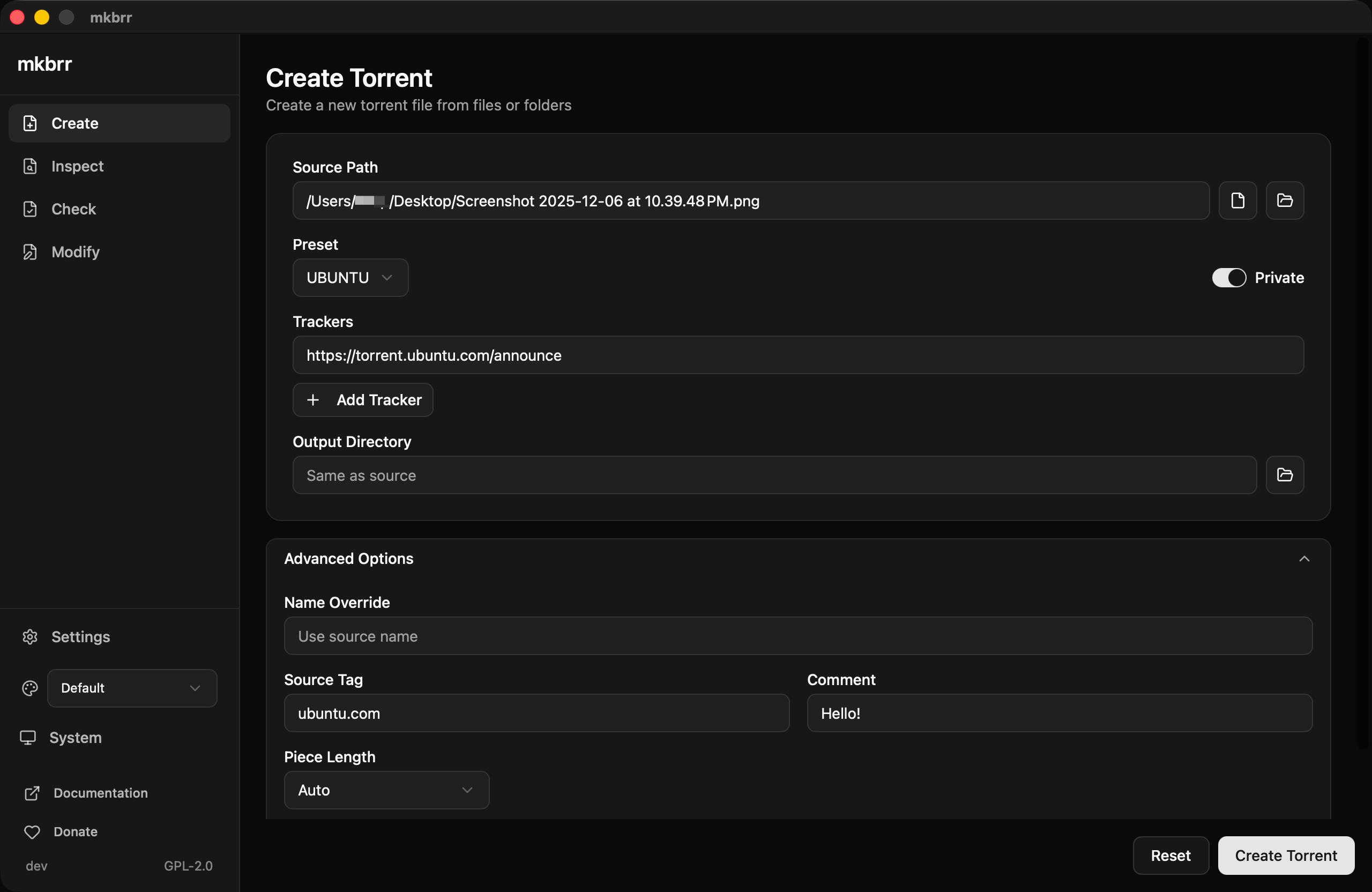
The GUI provides the same core functionality as the CLI with additional usability enhancements:Create
Create torrent files with tracker support, presets, and real-time progress tracking with hash rate display.
Inspect
View torrent metadata with a searchable, collapsible file tree.
Check
Verify torrent data with real-time progress. The results show the good pieces, the bad pieces, and the missing files.
Modify
Edit torrent metadata without needing the original source files.
Settings
The Settings page allows you to:- Configure default worker count for hashing operations
- Manage presets (create, edit, delete)
- View and reload the preset file location

Additional Features
Theme Support
Theme Support
Choose between light, dark, or system appearance modes, plus five color themes: Default, Autobrr (the default), Nightwalker, Swizzin, and Amethyst Haze.
Drag and Drop
Drag and Drop
Drag a file or folder onto the Create, Check, Inspect, or Modify page to fill in its path. On Create, drop the content. On Check, drop a
.torrent file or the content. On Inspect and Modify, drop a .torrent file.Tracker Detection
Tracker Detection
When creating torrents, the GUI automatically detects tracker-specific requirements and suggests optimal piece sizes based on your content size and tracker rules.
Form Persistence
Form Persistence
Form state is automatically saved across sessions. If you close the app while filling out a form, your inputs will be restored when you return.
Preset Management
Preset Management
Full preset management with validation. Create, edit, and delete presets directly from the GUI without manually editing YAML files.
File Tree Viewer
File Tree Viewer
The Inspect page features an advanced file tree viewer with:
- Search functionality with auto-expand
- Collapsible folder structure
- File count per folder
- All folders open at the start when the torrent has 50 files or fewer
Installation
Download the GUI binary for your platform from the GitHub Releases page. The GUI is a separate binary,mkbrr-gui. If you already have the mkbrr CLI, keep it. You can install both on the same system.
- macOS
- Windows
- Linux
Download Option 2: Right-click to open
mkbrr-gui_*_darwin_*.zip and extract the .app bundle.Option 1: Remove quarantine attribute (recommended)- Right-click (or Control-click) on the app
- Select “Open” from the context menu
- Click “Open” in the dialog
- Try to open the app (it will be blocked)
- Open System Settings > Privacy & Security
- Click “Open Anyway” next to the mkbrr-gui message
Building from Source
If you prefer to build the GUI yourself:gui/build/bin/.
On Linux,
make gui-build builds against WebKitGTK 4.0. If your system has only WebKitGTK 4.1, as Ubuntu 24.04 and later do, run cd gui && wails build -tags webkit2_41 instead. The release builds use this tag.